Virtual Try-On - AI Clothes Changer for Fashion E-commerce
Clothing Ecommerce Use Cases for AI Virtual Try On
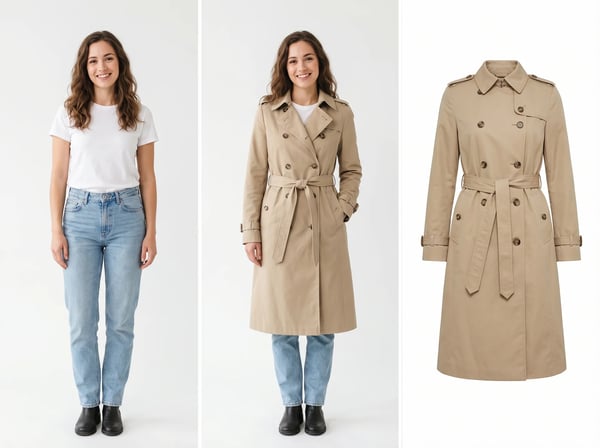
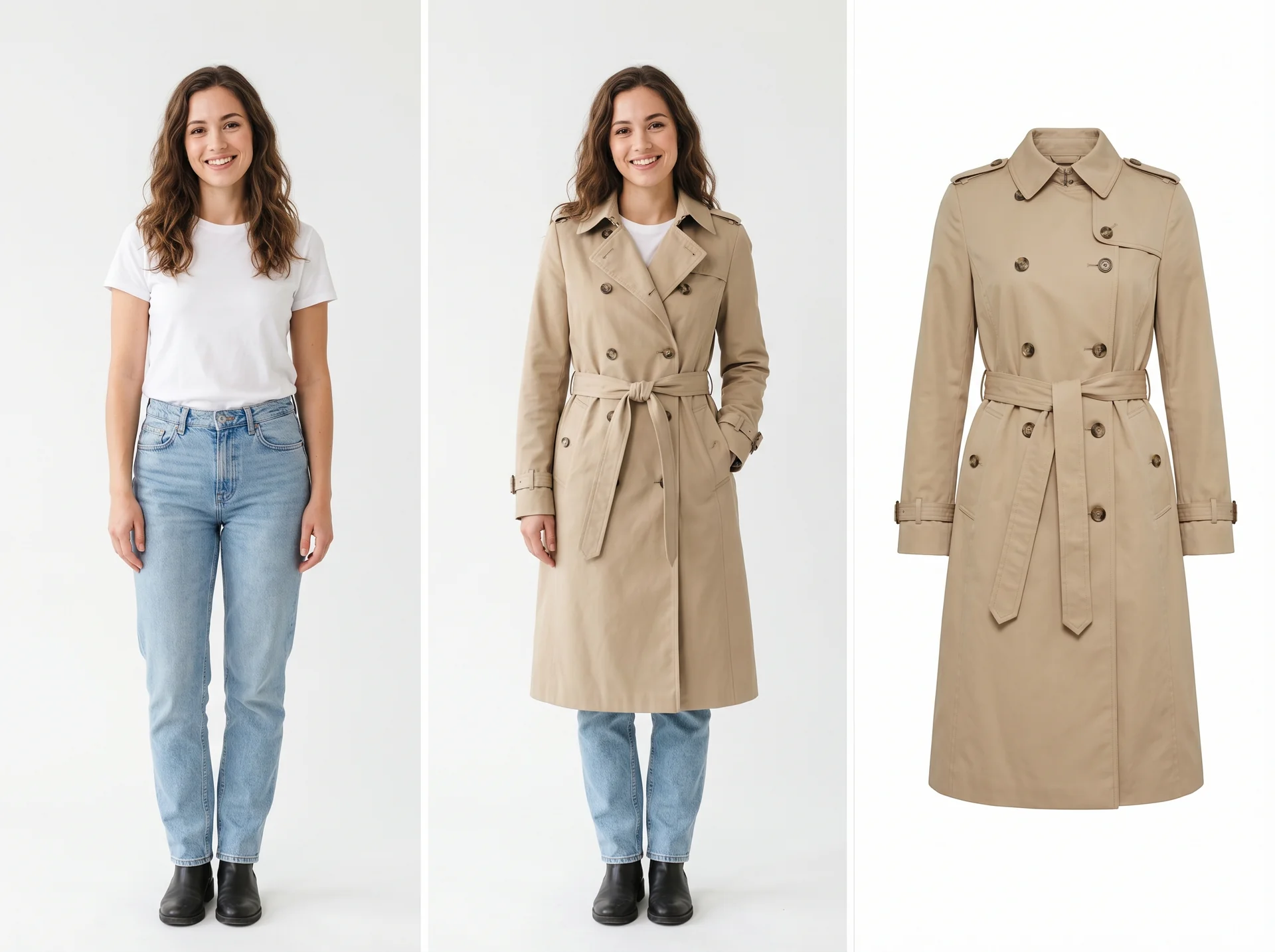
Place the trench coat from image 2 on the woman in image 1 and keep the pose, background, and lighting natural for a store product page.
Create On-Model PDP Images Without a Studio
Turn a garment image and a model photo into polished product-page visuals without scheduling shoots or hiring a full production team. Kolors AI helps fashion sellers build cleaner PDP images faster while preserving garment shape, texture, and brand styling.
- Convert garment photos into on-model PDP visuals
- Keep pose, lighting, and product proportions consistent
- Reduce studio, model, and retouching costs
- Create ready-to-publish assets for product detail pages
- Move from product image to campaign visual in minutes

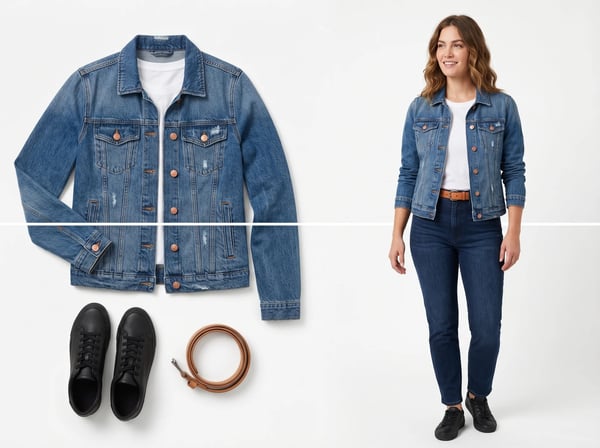
Turn this flat lay denim jacket into a realistic on-model ecommerce image with clean studio lighting and natural garment folds.
Turn Flat Lays Into Model Photos for Online Clothing Try On
Use AI to transform flat lays, ghost mannequins, or clean garment packshots into realistic model photography. This is ideal for brands that need more ecommerce coverage from existing product assets without reshooting an entire catalog.
- Repurpose flat lays for richer ecommerce merchandising
- Create consistent model imagery from existing product assets
- Maintain fabric texture, seams, and color accuracy
- Generate new hero visuals for Shopify and Amazon listings
- Scale catalog updates without adding photo shoot overhead

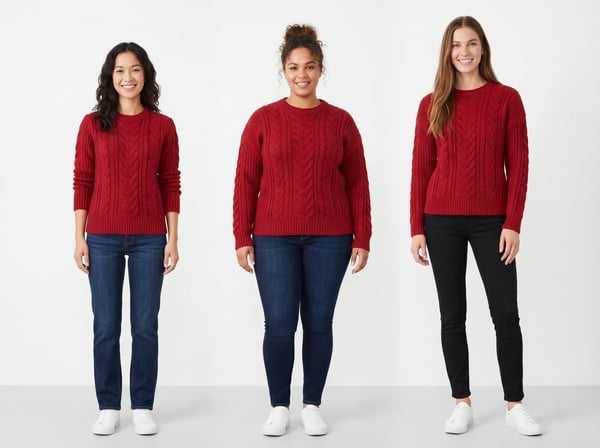
Render this red cable-knit sweater on three female models with different body types in one clean comparison image for an ecommerce landing page.
Show the Same Garment on Different Body Types
Build more inclusive shopping experiences by showing one SKU across multiple model types, fits, and proportions. This helps shoppers judge silhouette and styling faster and gives merchandising teams more useful try-on coverage for each product launch.
- Visualize one style across multiple body types
- Improve shopper confidence before checkout
- Support inclusive merchandising with less production effort
- Create comparison creatives for landing pages and ads
- Reuse one garment asset across multiple try-on scenarios

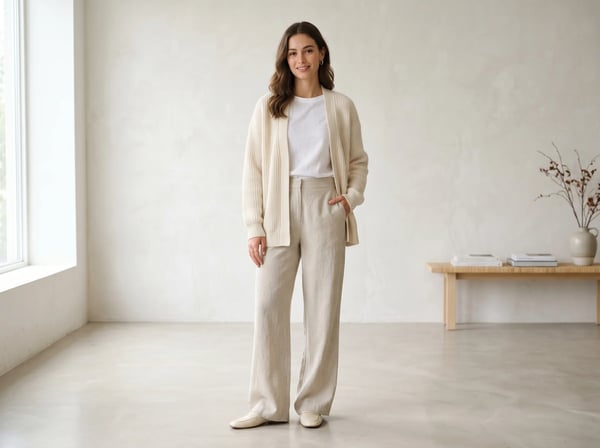
Create a bright spring campaign image with this cream cardigan on a female model in a minimal studio, ready for an online fashion catalog.
Localize Catalogs and Seasonal Campaigns Faster
Generate seasonal, regional, or campaign-specific clothing visuals from the same base garment assets. Fashion teams can build spring drops, holiday edits, and localized product storytelling faster without blocking on a traditional shoot calendar.
- Produce seasonal catalog imagery from existing SKUs
- Adapt collections for promotions and regional campaigns
- Keep creative direction consistent across launches
- Generate fresh ecommerce visuals without reshooting inventory
- Speed up campaign production for fashion teams

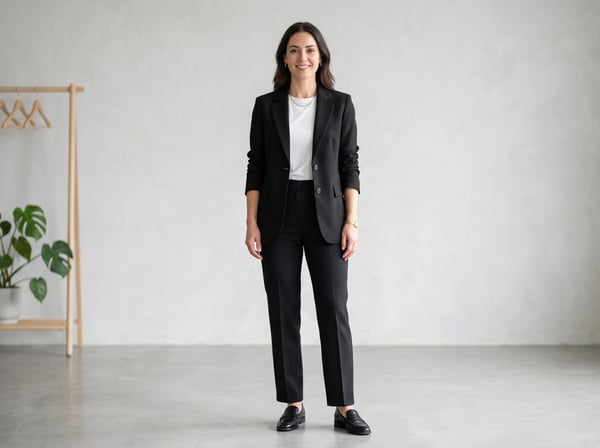
Turn this blazer product image into a premium on-model hero visual for a marketplace listing with a clean neutral background.
Generate Marketplace and Ad Creatives From Product Images
Create premium apparel visuals for marketplace listings, paid social, landing pages, and email campaigns from a single product image. Kolors AI helps brands test more creative variations and publish high-converting fashion imagery with less turnaround time.
- Generate hero creatives for marketplaces and product feeds
- Create apparel ads from single-SKU product images
- Launch more visual variations for paid campaigns
- Keep backgrounds clean for listing and catalog compliance
- Support faster iteration for ecommerce creative teams
Frequently Asked Questions About AI Virtual Try On Clothes
Answers for shoppers, fashion brands, and ecommerce teams using virtual try on for clothing.
What is AI virtual try on for clothes?
AI virtual try on for clothes creates a realistic apparel preview by combining a person photo with a garment image. It helps shoppers see how clothing may look before buying and helps ecommerce teams create on-model product visuals without a traditional photo shoot.
How does online clothing try on work?
Upload a model or shopper photo plus a clothing image, then describe the result you want. Kolors AI analyzes pose, body shape, and garment detail to generate a realistic try-on image that keeps the scene natural and the apparel recognizable.
Can I upload my own photo to try on clothes online?
Yes. You can upload your own photo to preview clothing before buying, or upload model photos to generate ecommerce assets for product pages, ads, and catalogs. Clear images with visible body shape usually produce the best results.
What clothing categories work best with virtual try on?
Kolors AI works well for dresses, shirts, blouses, sweaters, jackets, blazers, coats, skirts, and coordinated outfits. The best outputs come from clear garment images that show structure, color, and important design details.
Is AI clothes try on accurate enough for ecommerce?
It is highly useful for visual merchandising, shopper previews, and campaign production because it preserves the overall look, styling, and silhouette of the garment. Like any visual preview tool, it should complement size charts and product details rather than replace them.
Can virtual try on help reduce clothing returns?
Yes. When shoppers can preview how an item may look before checkout, they usually make more informed buying decisions. That can reduce uncertainty around style and appearance and help fashion stores lower return pressure from mismatched expectations.
Can I show the same garment on different models or body types?
Yes. One of the strongest clothing ecommerce use cases is reusing a single garment image across multiple models, proportions, and campaign layouts. This helps brands merchandise inclusively and produce broader product coverage with less manual work.
Is virtual try on for clothing ecommerce useful for Shopify and Amazon sellers?
Yes. Kolors AI is useful for Shopify product pages, Amazon listing visuals, brand landing pages, lookbooks, and paid ads. Sellers can create more on-model imagery from existing product assets and improve the quality of apparel merchandising across channels.
Can I use AI virtual try on images commercially?
Yes. Kolors AI is built for commercial apparel use cases such as product pages, campaigns, social ads, email marketing, and online catalogs. Teams can use generated try-on visuals in their merchandising workflow subject to their plan and usage terms.
How fast can I generate virtual try on clothes images?
Most clothing try-on generations finish in seconds, which makes it practical for rapid testing, bulk creative production, and fast product launch workflows. Actual speed depends on image complexity, prompt detail, and current processing volume.
Can I turn flat lay product photos into model images?
Yes. Many brands use Kolors AI to convert flat lays, ghost mannequin images, or clean packshots into realistic on-model visuals. This is especially useful when a catalog needs richer imagery but reshoots would take too long or cost too much.
What makes Kolors AI a strong virtual fitting room for clothing?
Kolors AI combines realistic garment rendering, flexible prompt control, and fast creative output for apparel teams. It supports shopper previews, product-page imagery, catalog localization, and ad creative generation from the same clothing assets.
Start Creating Clothing Try-On Images Today
Use Kolors AI to build realistic apparel previews for shoppers, product pages, marketplaces, and fashion campaigns from the clothing assets you already have.