Built as a real grid
The prompt requests four distinct frames with clean gutters and a readable order, not a loose mood-board collage.
Turn one scene into a connected 4- or 9-panel storyboard grid with cinematic framing, clear staging, and 2K detail.
Turn a scene brief into a cinematic 4- or 9-panel storyboard grid in 2K.
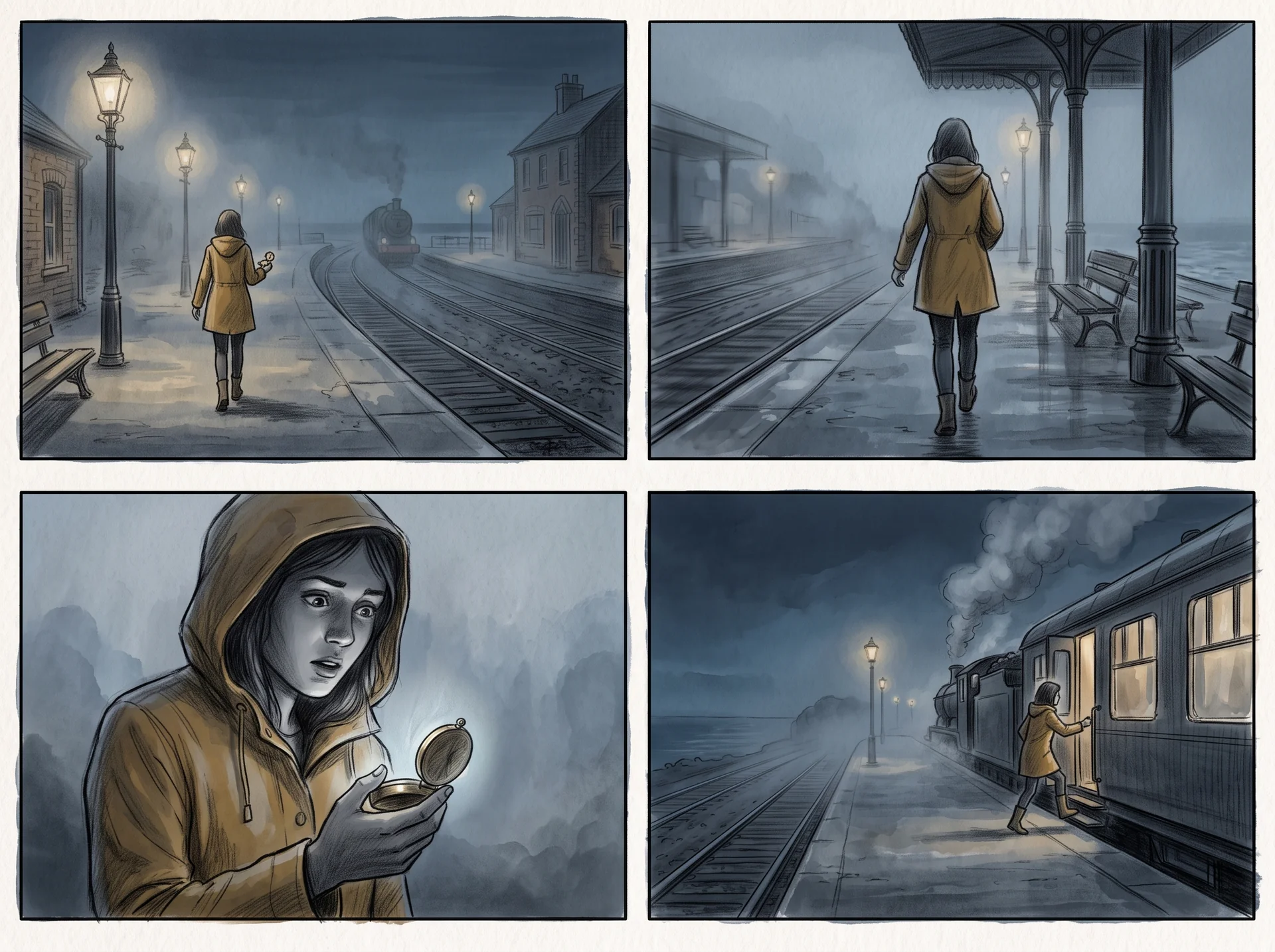
A 2x2 grid gives a single moment a beginning, closer detail, reveal, and resolution instead of four unrelated images.
Choose a progression such as establishing-to-close-up or dramatic reveal, then let the brief determine the action and mood.
Add the recurring character, wardrobe, prop, location, or lighting details that need to remain recognizable from panel to panel.
Storyboard Grid is an AI storyboard generator for testing visual sequences before a shoot, pitch, animation pass, or edit. Describe one scene, choose a 4- or 9-panel layout, visual direction, and shot language, then receive one image you can discuss, revise, or take into the next stage of production.
The prompt requests four distinct frames with clean gutters and a readable order, not a loose mood-board collage.
Each panel is guided to change the viewer's distance, angle, or information while remaining in the same scene.
Use the optional detail field for the pieces of production design that matter most to the sequence.
Download a 2K storyboard image for creative reviews, reference boards, or the first pass of a shot list.
A focused scene produces the most useful boards. Name the action, place, visual turning point, and any detail that must stay consistent.
Write who is present, what changes, where it happens, and the feeling you need the sequence to carry.
Set an art direction and shot progression that fit the scene: quiet observation, dynamic coverage, or a reveal.
Nano Banana 2 renders one 2K, text-free storyboard grid with four or nine connected shots.
Download the take you need, or refine the action, framing, or continuity details to explore another direction.
Use a storyboard grid when a team needs to see the sequence before committing to a shot, design, or animation decision.
Explore scene coverage, camera distance, and dramatic beats before a location scout, shoot day, or animatic.
Give a director, client, or collaborator a visual read of a treatment without waiting for a full illustration pass.
Test key poses, staging, and scene transitions as a compact first pass for an animated sequence.
Turn a pivotal quest, cutscene, or character moment into a shared visual reference for writers and artists.
Common questions about creating a four-panel storyboard with AI.
Start with one clear scene brief and create a cinematic 4- or 9-panel storyboard grid in 2K.