
ChatGPT Image 2 Review: The First AI Image Model That Feels Ready for Real Work?
Most AI image launches follow the same pattern: people share a few beautiful outputs, everyone argues about whether they are real, and then the tool quietly disappears from actual day-to-day work.
ChatGPT Image 2 feels different.
After reviewing OpenAI's official release materials and multiple launch-day hands-on reports, my conclusion is simple: the biggest upgrade is not that it makes prettier pictures. The real upgrade is that it handles more of the job around the picture. It follows detailed instructions more reliably, renders text well enough to matter, works across multiple aspect ratios, supports multilingual layouts far better than older models, and in its thinking mode can research and plan before generating.
That moves it from a fun image generator toward something much closer to a visual work tool.
If you are a marketer, founder, creator, ecommerce operator, or product team trying to ship useful visuals quickly, that distinction matters far more than benchmark screenshots.
Quick Verdict
ChatGPT Image 2 is one of the most important image-model releases in a long time because it improves the exact things that used to make AI image tools annoying in production.
- It is much better at text rendering than older mainstream image models.
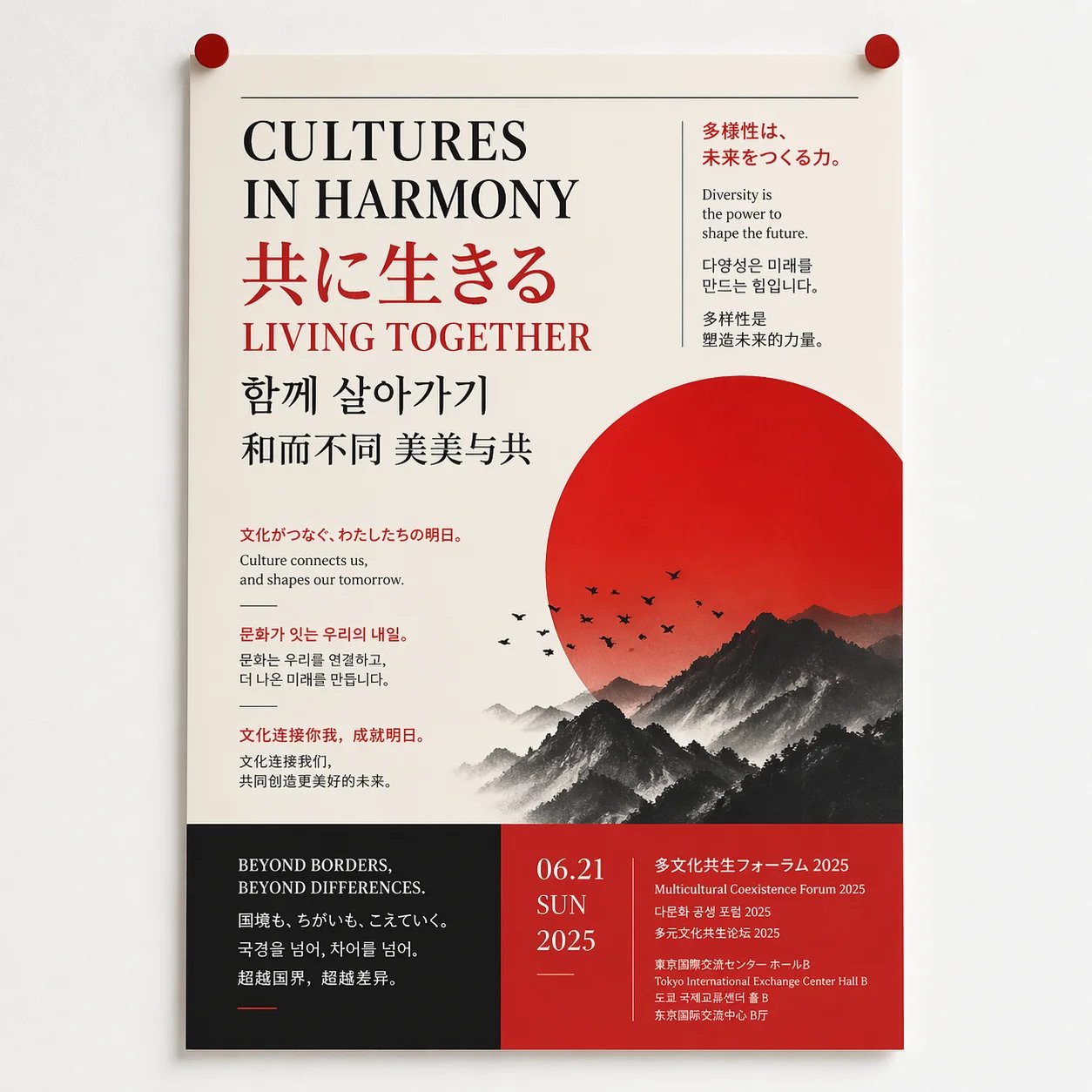
- It handles complex compositions, UI-style layouts, posters, and dense marketing visuals more reliably.
- It is notably stronger for multilingual creative work, especially beyond plain English.
- It supports a wider aspect-ratio range, making one concept easier to adapt across channels.
- It still needs human review for diagrams, arrows, physical logic, dense labels, and other precision-heavy tasks.
If your goal is to make one striking image, ChatGPT Image 2 is impressive.
If your goal is to generate, revise, and reuse visuals through conversation for real campaigns, it is even more interesting.
What Actually Changed With ChatGPT Image 2?
For years, AI image tools had a clear ceiling.
They were often strong at mood, style, and visual surprise, but weak at the details that make an image usable in business contexts. Ask for a poster with small readable text and the text would collapse. Ask for a screenshot-style composition and the UI would feel off. Ask for multiple sizes or localized versions and you ended up rebuilding the work manually.
ChatGPT Image 2 attacks exactly those weak points.
Based on the launch materials and early public tests, the model's core strengths are:
- more reliable prompt following for complex layouts and object placement
- stronger text rendering in both Latin and non-Latin scripts
- better stylistic control across photography, editorial design, comics, UI, and advertising
- broader aspect-ratio support from ultra-wide banners to tall mobile-first formats
- a thinking mode that can search for context, analyze source material, and plan before generating
- better multi-image consistency when one prompt needs a set, not a single frame
This is why the launch feels more important than a normal model-quality bump. It is not just a fidelity story. It is a workflow story.
The Biggest Strength: Text That Is Finally Useful
If you only remember one thing about ChatGPT Image 2, remember this: text is no longer the embarrassing weak spot it used to be.
That matters because text-heavy visuals are everywhere.
Marketers need ad creatives. Founders need launch graphics. Bloggers need cover images. Ecommerce teams need product posters. Educators need explainers. Product teams need UI mockups and slide visuals. In all of those situations, the old AI-image problem was not beauty. It was broken words.
Early demonstrations of ChatGPT Image 2 show a real step forward here. Small copy, poster layouts, notebook pages, screenshot-like interfaces, handwritten notes, manga panels, and multilingual headlines all look far more usable than what most people expect from image models.
That does not mean every output is perfect. It does mean the old rule of “generate the art and add the text in Photoshop later” is no longer always true.
For content teams, this is a huge unlock.
Why It Feels Better for Real Creative Work
1. It follows complex instructions without forcing prompt gymnastics
Older image models often got the general vibe right but lost the important details. You could ask for a specific composition and get something vaguely related. You could ask for a product poster and spend the next ten minutes fixing background, framing, copy placement, and style drift.
ChatGPT Image 2 looks meaningfully better at preserving more of the brief on the first pass. That reduces iteration time, which is a much bigger productivity gain than most people realize.
2. It treats multilingual design as design, not decoration
This is one of the most practical upgrades for global teams. Launch materials and hands-on reports consistently point out that Chinese, Japanese, Korean, Hindi, Bengali, Arabic, and other scripts are no longer treated like strange visual noise glued on top of an image.
Instead, the text is more often integrated into the layout itself.
That matters if you publish across markets, build localized creatives, or run campaigns where English-only assets are not enough. For many teams, this alone makes ChatGPT Image 2 more relevant than the average image-model release.
3. It handles aspect ratios more like a campaign tool
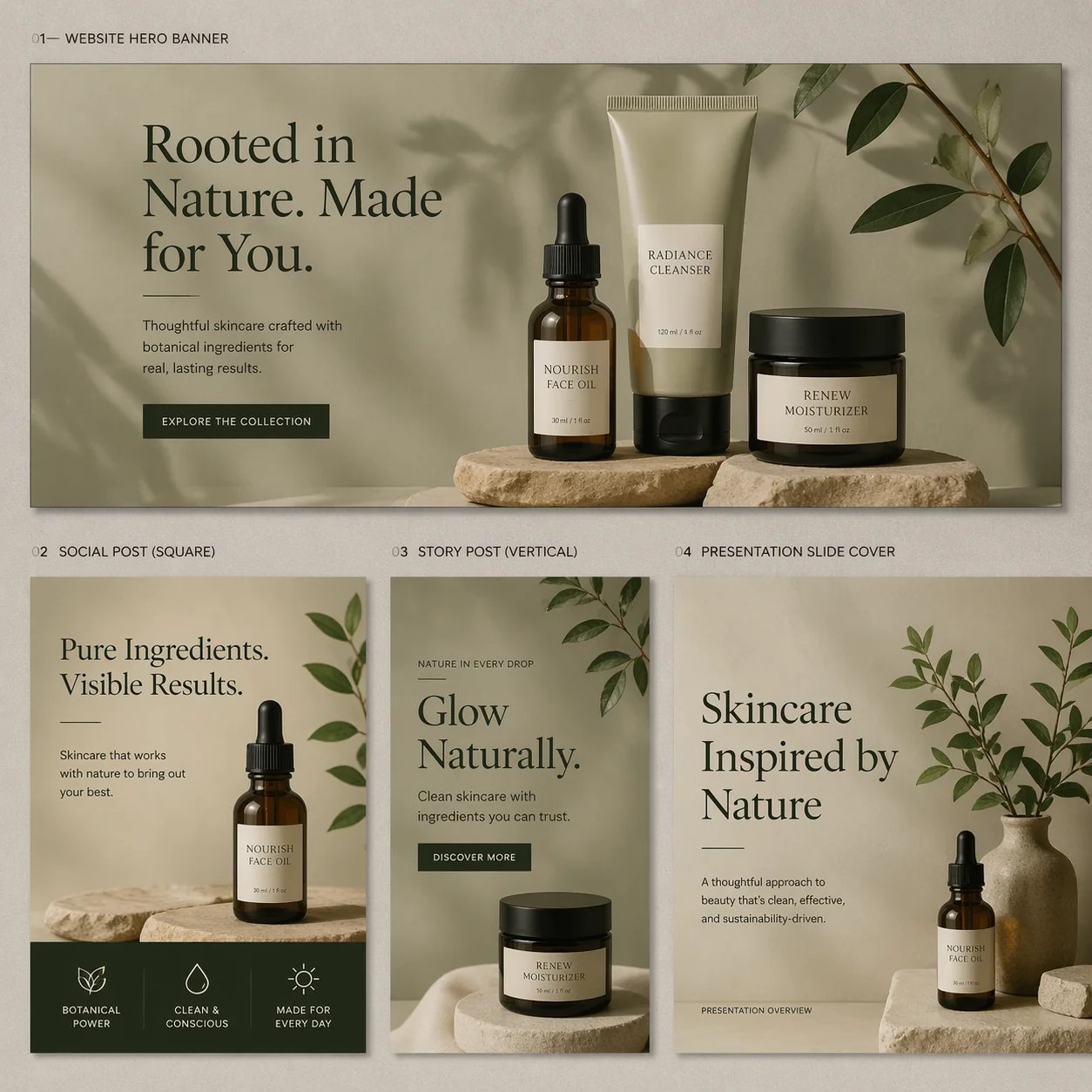
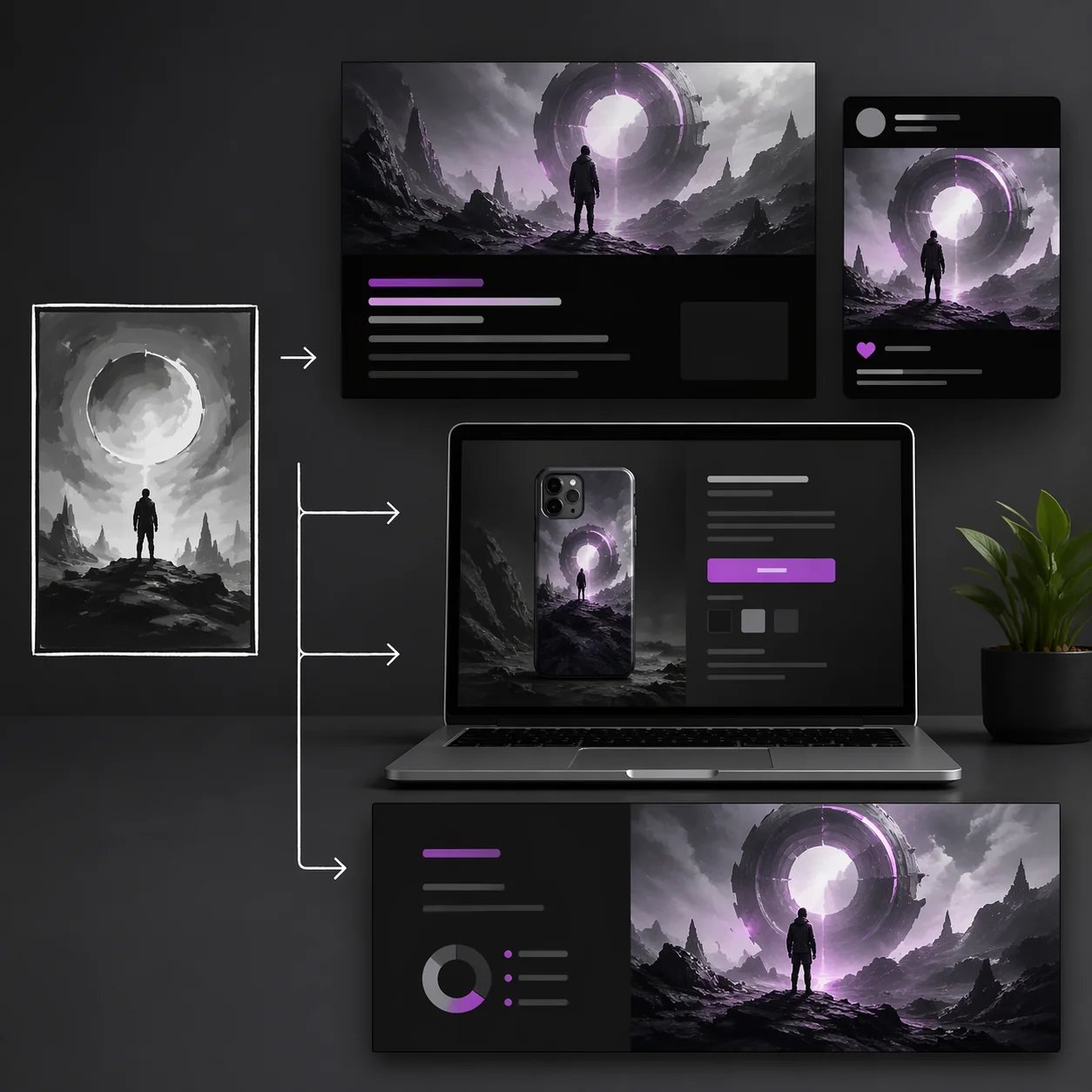
The broader ratio support, from 3:1 to 1:3, sounds like a technical footnote until you think about how modern content actually ships. One idea quickly becomes a hero banner, a LinkedIn graphic, an Instagram story, a mobile image, and maybe a blog thumbnail.
If the model can adapt the same concept across those shapes without completely breaking composition, it saves real time.
4. Thinking mode makes it more than a generator
This may be the most important long-term shift.
In thinking mode, ChatGPT Image 2 can reportedly search the web, inspect uploaded materials, reason about what belongs in the visual, and self-check before output. That pushes the model toward being a visual thought partner rather than a raw image engine.
For example, if you want a current-style campaign graphic, a category explainer, or a poster built from real context, the model is not just painting. It is doing some of the brief interpretation first.
That is exactly the direction AI image tools needed to move.
Where ChatGPT Image 2 Still Falls Short
This is not a magic model, and pretending otherwise would make the review useless.
The most consistent limitations mentioned in the official materials and early reviews are exactly the ones you would expect from a system that is still generating images rather than executing deterministic layout rules.
ChatGPT Image 2 can still struggle with:
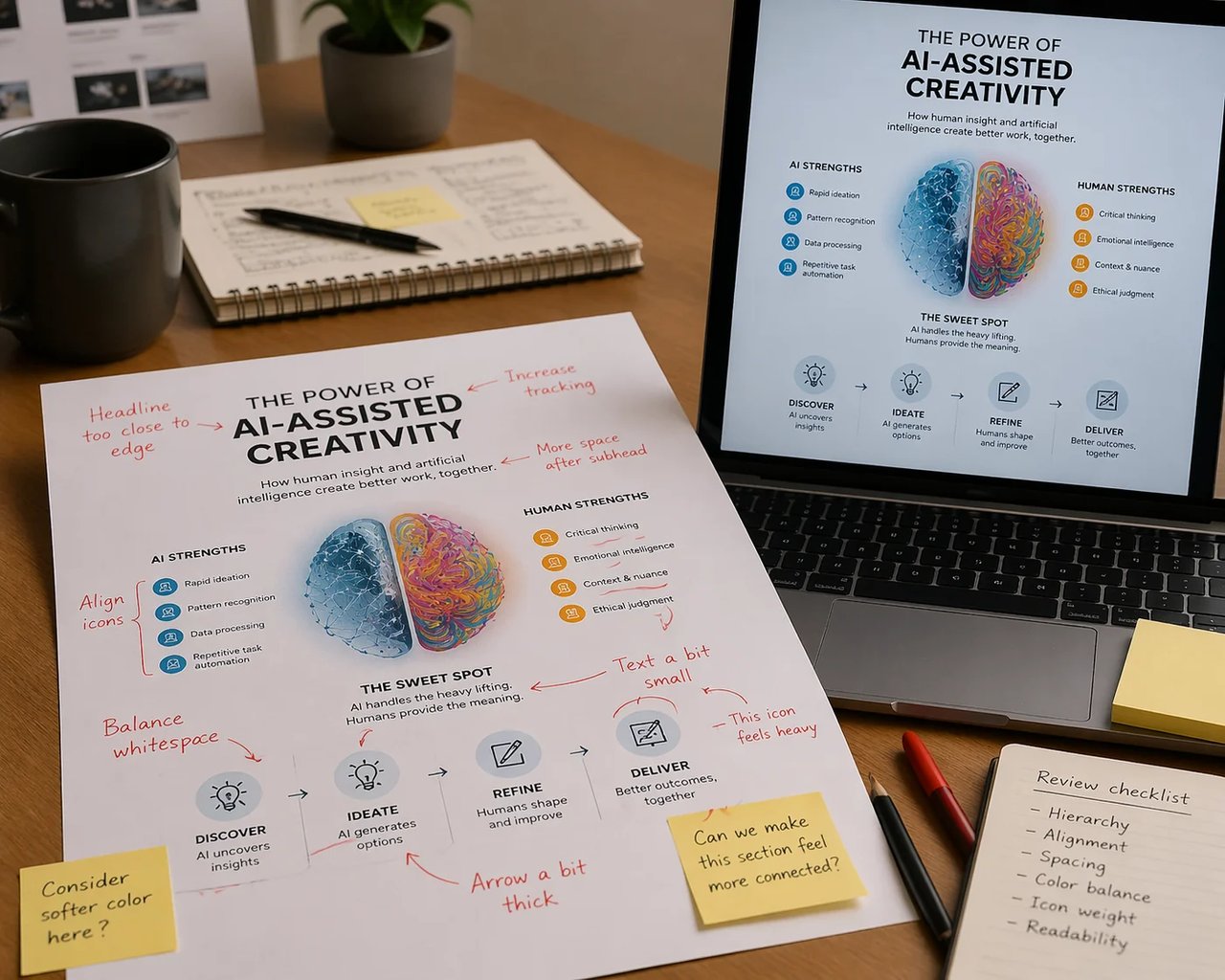
- strict step-by-step diagrams such as folding instructions or cube rotations
- arrows, labels, and callouts that must point with perfect accuracy
- tilted surfaces with tiny precision detail
- dense repeated patterns and ultra-fine microstructure
- highly technical visuals where one wrong symbol ruins the whole asset
In other words, it is much better at making a convincing visual system than it is at guaranteeing machine-level precision.
That distinction is important.
If you need a marketing image, a stylized explainer, or a visually rich poster, this model looks strong.
If you need a textbook diagram, manufacturing instruction sheet, packaging dieline, or scientific visual that has to survive close inspection with zero ambiguity, you still need human review and often a more controlled production process.
There is also the workflow-cost question. The instant mode lowers the barrier, but the more advanced thinking-style outputs are naturally more computationally expensive. If your team is producing assets at scale, quality alone is not the whole equation. Cost per iteration and speed per usable output matter too.
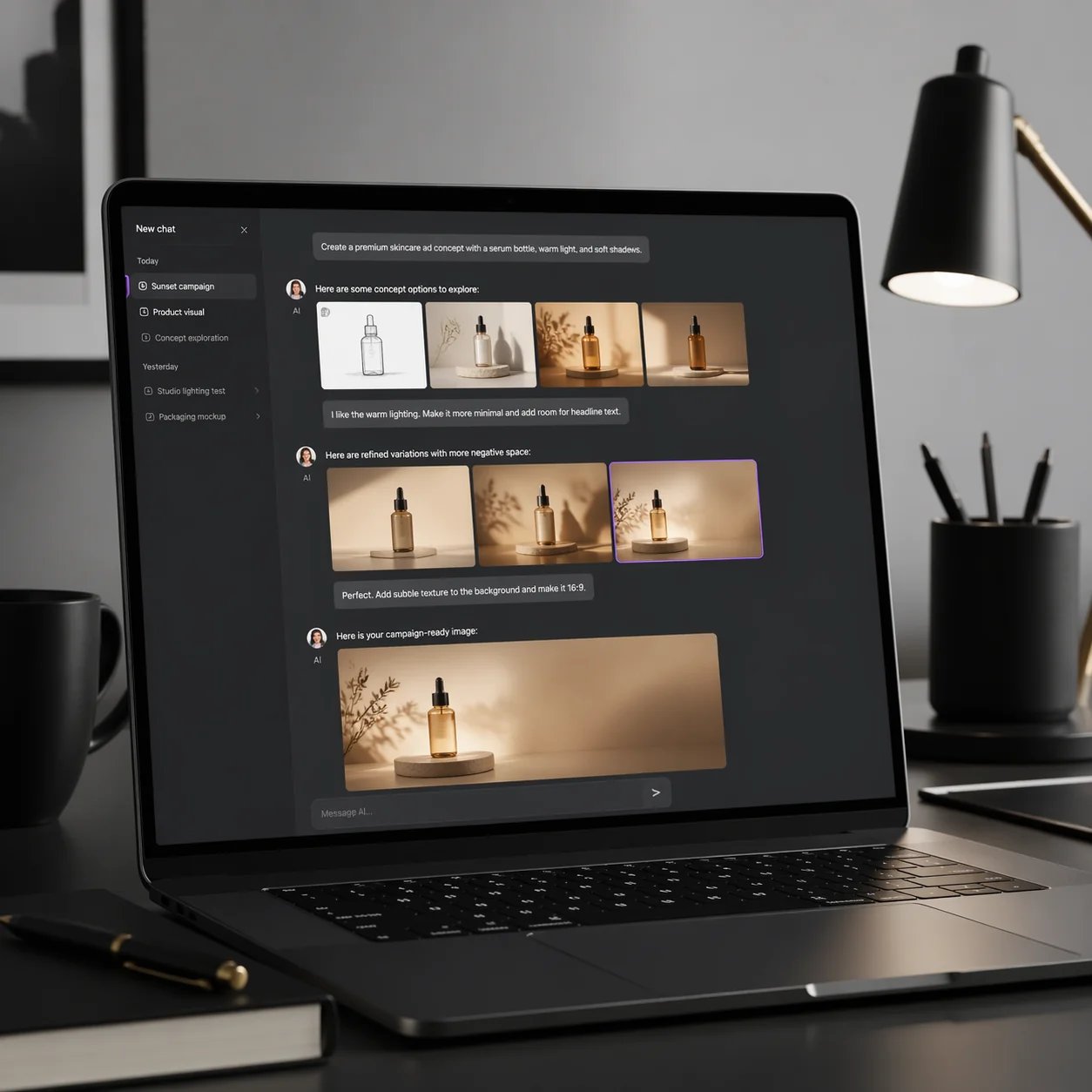
Suggested Image Prompt: Human QA and Limitations
Best Use Cases for ChatGPT Image 2
If I had to summarize the strongest use cases in one line, I would say this: ChatGPT Image 2 is best when the output needs to look finished enough to use, but not so exact that every pixel depends on rigid rules.
Here is where it looks especially strong.
Marketing visuals
Launch graphics, ad concepts, promotional posters, seasonal creatives, and brand moodboards are obvious fits. The combination of better text handling, aspect-ratio flexibility, and stronger instruction following makes the model much more relevant to real campaign work.
Blog and editorial graphics
This might become one of the most common everyday uses. Instead of generic stock images, teams can create article covers, concept visuals, comparison graphics, and theme-driven illustrations that actually match the argument of the post.
Social media asset variants
If one idea needs to become multiple post formats, ChatGPT Image 2 looks much closer to a practical publishing tool than older models. This is especially useful for teams that want speed without managing complex prompt workflows.
Product mockups and ecommerce scenes
Product marketing is another strong fit. You can create hero concepts, campaign visuals, packaging scenes, launch compositions, and lifestyle-style imagery quickly, then refine what works.
Educational posters and visual explainers
As long as the content does not depend on strict technical precision, the model appears strong for educational design. It can turn abstract ideas into structured visuals much more effectively than earlier image systems.
Who Should Use It and Who Should Not
ChatGPT Image 2 is a great fit for:
- marketers who need campaign-ready creative directions quickly
- founders who need strong visuals without a full design process
- bloggers and content teams who want original editorial images
- ecommerce operators creating mockups, promos, and launch assets
- agencies exploring multiple concepts before final production
- global teams that need multilingual visual output
It is a weaker fit for:
- technical documentation teams that require exact diagrams
- production workflows that need perfect brand-system determinism
- scientific or educational materials where small inaccuracies are unacceptable
- teams that confuse “great first draft” with “no need for review”
This is the right mindset: treat ChatGPT Image 2 as a very capable creative operator, not an infallible export engine.
The Real Limitation Is Not Image Quality. It Is Workflow.
This is where many reviews miss the point.
A strong model is not automatically the same thing as a strong workflow.
What most people actually want when they search for ChatGPT Image 2 is not a benchmark winner. They want an easier way to create useful visuals, revise them naturally, and move fast without writing giant prompts.
That is also why workflow matters.
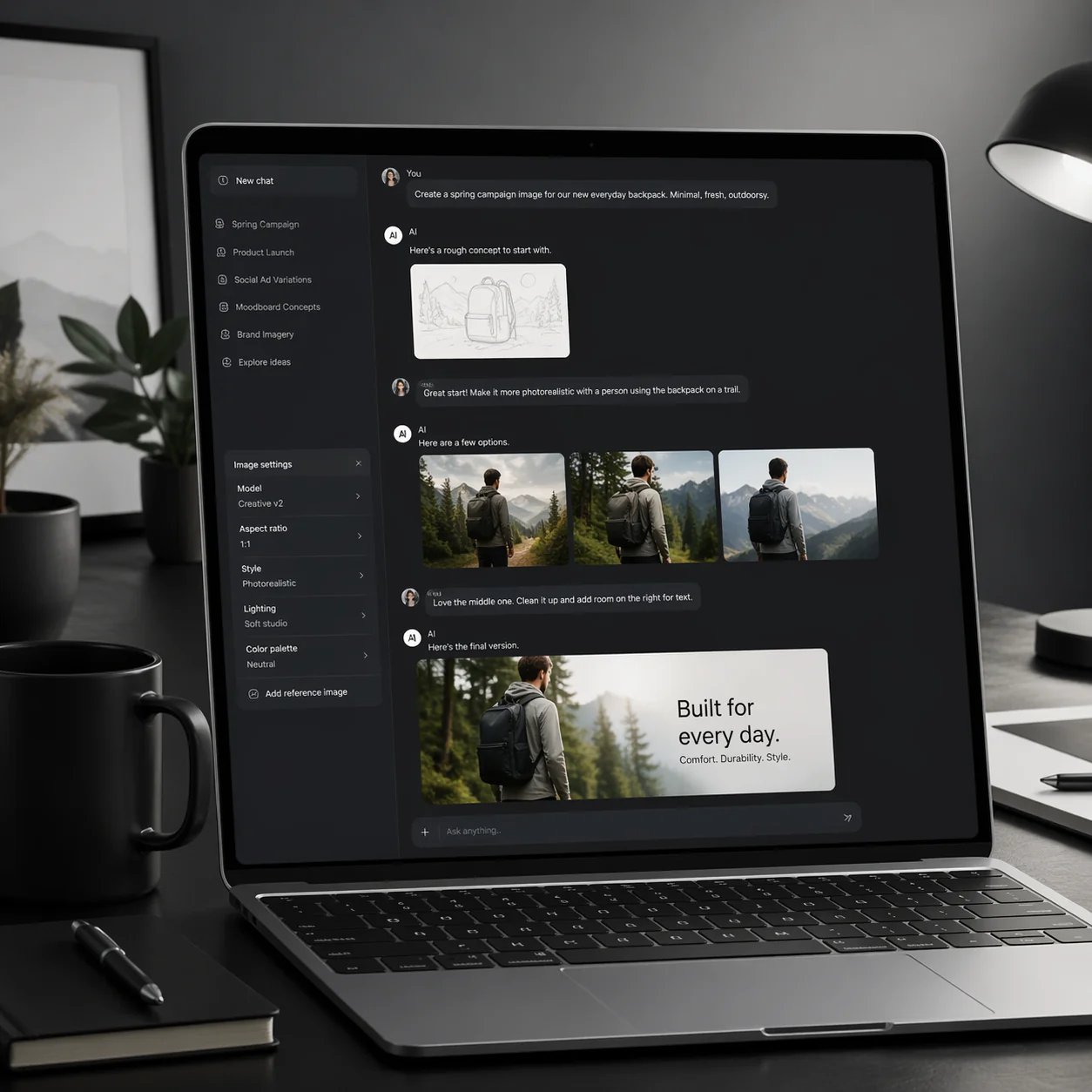
If ChatGPT Image 2 represents the new quality bar for conversational image generation, the bigger question is how teams actually turn that quality into repeatable production work. The most effective setup is one that lets you start with a plain-language brief, review a usable first draft, and then refine it quickly for campaigns, blog posts, product pages, social assets, and presentations.
That is a much better fit for people who care about outcomes, not model fandom.
So the right question is not just, “How good is ChatGPT Image 2?”
It is, “What is the fastest path from an idea to a visual I can actually use?”
For many teams, the answer will be: use the new generation of image quality inside a workflow that was designed for iteration from the beginning.
Suggested Image Prompt: Chat-Based Visual Workflow
Final Review: Is ChatGPT Image 2 Worth the Hype?
Yes, mostly because it improves the parts that actually matter in production.
The launch-day hype around fake screenshots and hyper-real images is understandable, but it is also the least interesting part of the story. The more important story is that OpenAI finally seems to understand that image generation is not just about aesthetics. It is about whether the output can survive contact with real work.
ChatGPT Image 2 looks meaningfully better for:
- readable text
- multilingual layouts
- campaign-style output
- multi-format asset generation
- research-backed visual creation
- conversational iteration
It still falls short when accuracy has to be absolute.
So my practical verdict is this:
If you want a model that can help you ship marketing visuals, editorial graphics, social assets, mockups, and creative concepts faster, ChatGPT Image 2 looks genuinely important.
If you want a system that removes the need for human judgment, you will be disappointed.
That is fine. Most teams do not need perfection. They need speed, range, and a much better first draft.
On that standard, ChatGPT Image 2 appears to be one of the strongest AI image releases we have seen so far.
And if your next question is how to turn that kind of conversational image workflow into something usable every day, the right place to start is with a tool that supports fast iteration, structured edits, and production-friendly image workflows around GPT-image-2.
FAQ
Is ChatGPT Image 2 an official product name?
The official naming in launch materials is ChatGPT Images 2.0, while the API model name is gpt-image-2. In search behavior, many people shorten that to “ChatGPT Image 2.”
Is ChatGPT Image 2 good for marketing assets?
Yes. Based on the release materials and early tests, marketing visuals are one of its strongest use cases because the model is better at text, layouts, aspect ratios, and consistent art direction.
Can ChatGPT Image 2 create multilingual designs?
It looks much stronger than older image models for multilingual creative work, especially when using non-Latin scripts such as Chinese, Japanese, Korean, Hindi, Bengali, and Arabic.
What is the biggest weakness of ChatGPT Image 2?
Precision-heavy visuals are still the biggest weakness. Diagrams, arrows, labeled explainers, repeated micro-patterns, and physically strict instructions still need manual review.
Is ChatGPT Image 2 better than older prompt-heavy image tools?
For many business users, yes, because the advantage is not only output quality. It is also the reduced friction around iteration, text, and complex content generation.
What should I look for if I want a simpler workflow for creating and refining visuals?
Look for a tool that combines GPT-image-2 quality with fast iteration, image editing, and a production-friendly review flow. The value is not just generation quality. It is how quickly you can move from a first draft to something you can actually ship.
Research Note
This article is based on OpenAI's official ChatGPT Images 2.0 announcement and multiple launch-day public reports and hands-on writeups published on April 22, 2026.